
How to Cancel Futures Copy Trading
Hotcoin
Share
To cancel a Futures copy trader, follow these steps:
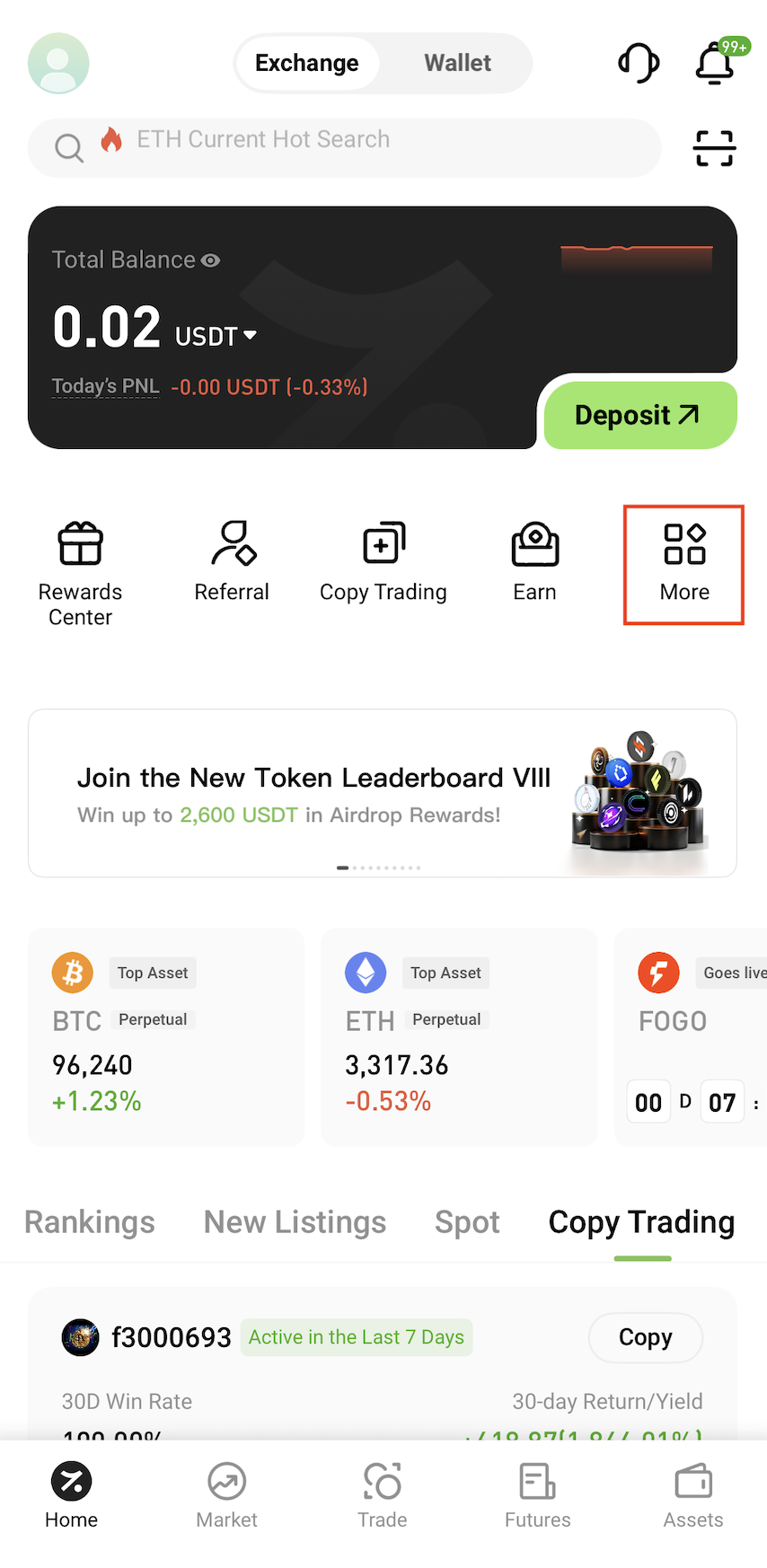
1. Tap More on the home screen
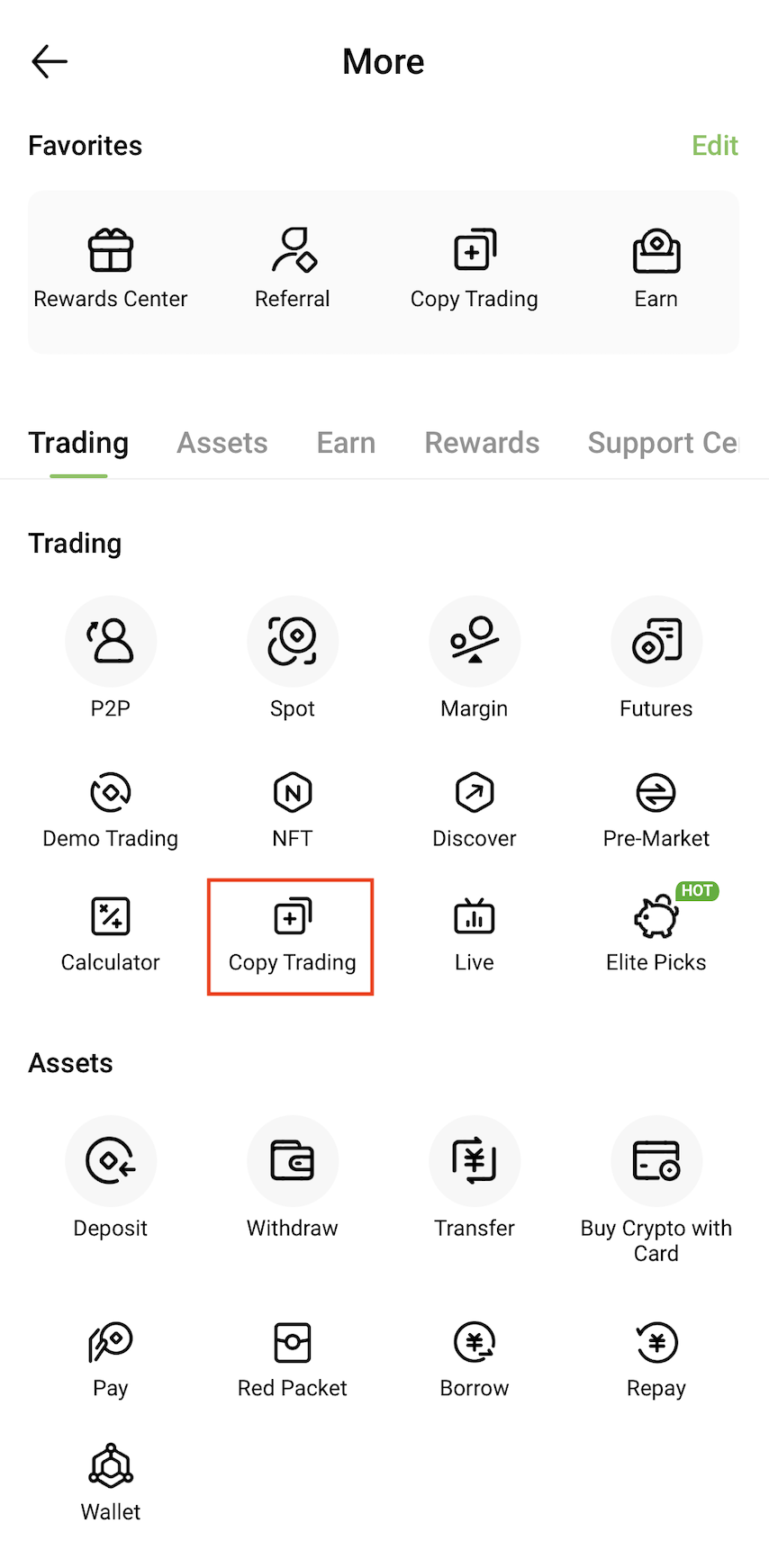
2. Go to the Copy Trading page
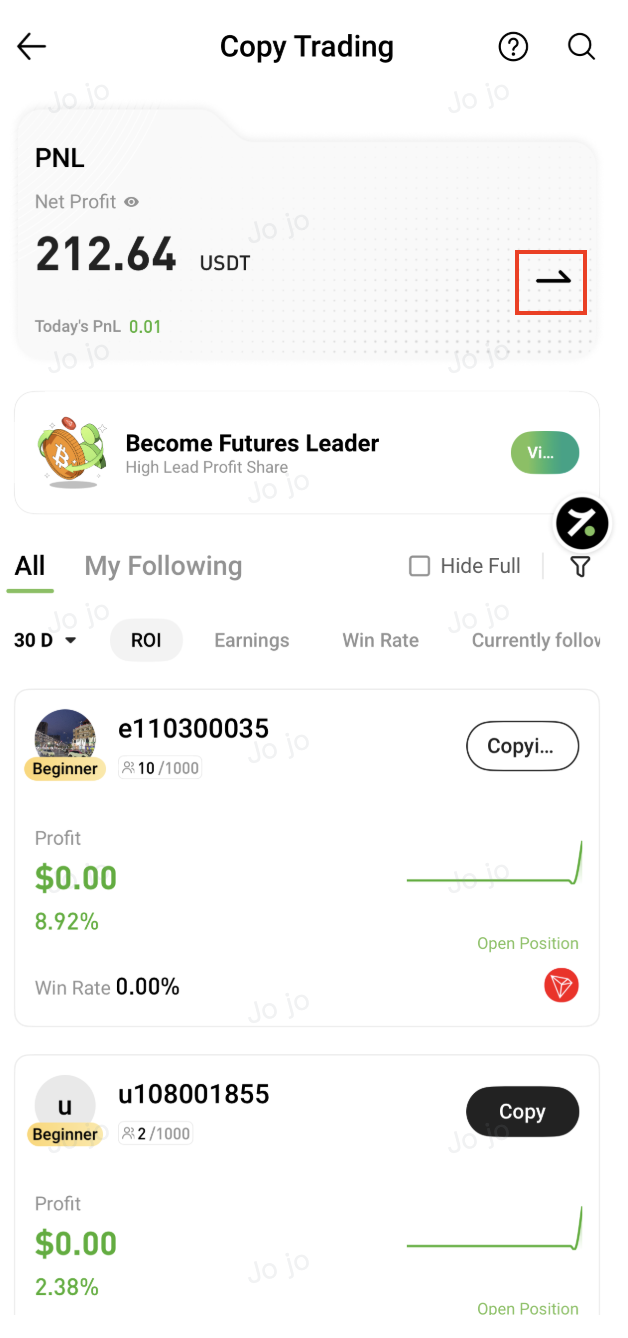
3. Tap the arrow icon in the upper-right corner to enter the My Copy Trading page
4. Select Current Trader and tap Cancel Copy and confirm
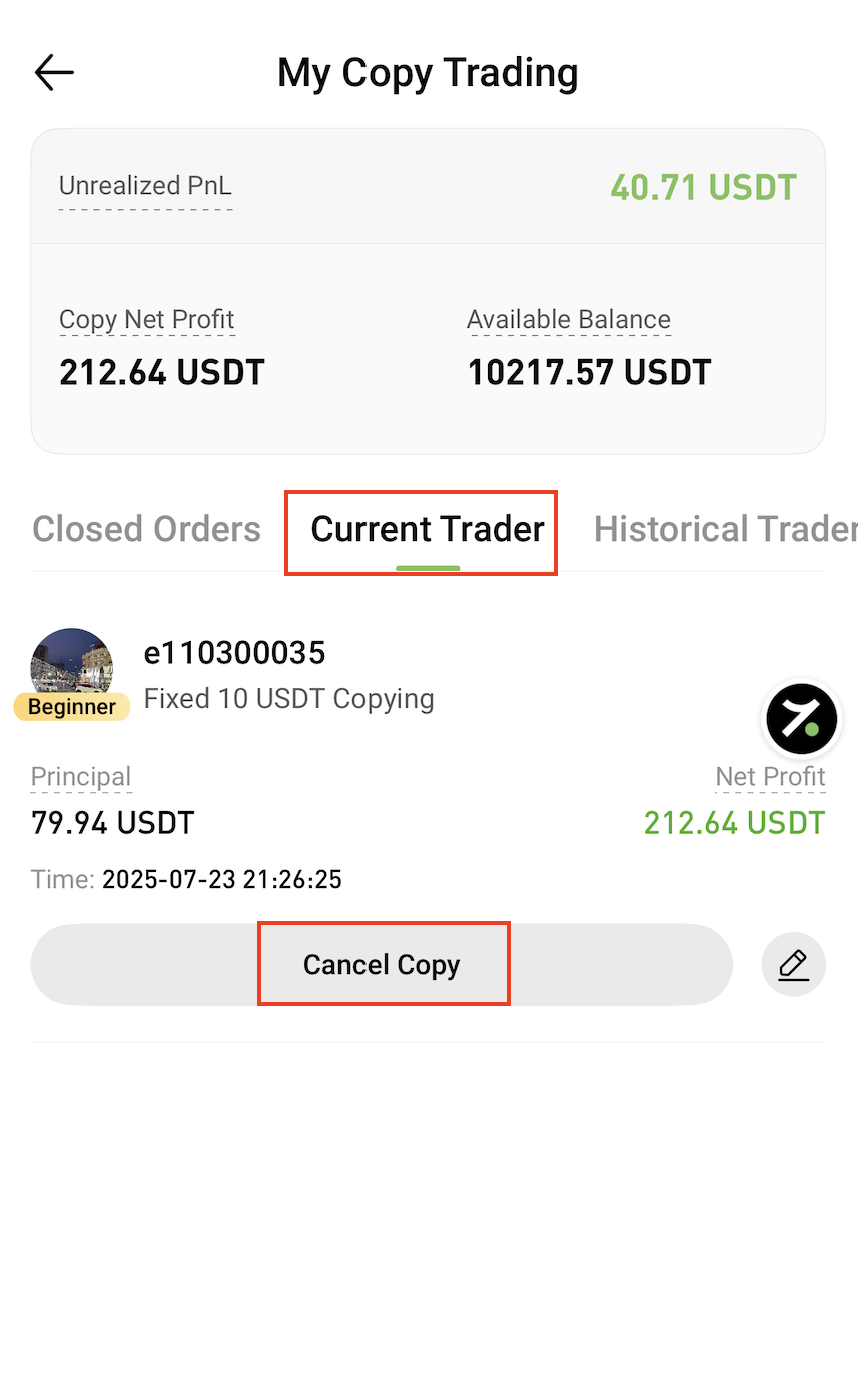
Please note that if you have any open copy trading positions, canceling copy trading will immediately close all open positions at the market price.
Make sure you review your positions carefully before confirming them to avoid unexpected losses.
⚠️ Important Notes:
- Canceling copy trading stops all future copied trades from the selected trader
- All existing copy trading positions will be closed immediately
- The final execution price depends on market conditions at the time of cancellation
Service Contacts
Service@hotcoin.com
Product Feedback
Product@hotcoin.com
Business Cooperation
Business@hotcoin.com
Legal Contacts
Casecn@hotcoin.com
About us
Service
Support
©2017-2026