
Service Contacts
Service@hotcoin.com
Product Feedback
Product@hotcoin.com
Business Cooperation
Business@hotcoin.com
Legal Contacts
Casecn@hotcoin.com
About us
Service
Support
©2017-2026
Service@hotcoin.com
Product@hotcoin.com
Business@hotcoin.com
Casecn@hotcoin.com
Hotcoin supports selling USDT for forty-seven fiat currencies, including CNY, USD, HKD, JPY, GBP, and EUR, through its P2P trading service.
1. Log In and Access the P2P Page
Open the Hotcoin App, tap the Trade icon at the bottom of the screen, and select the P2P tab at the top, and enter the Sell page.
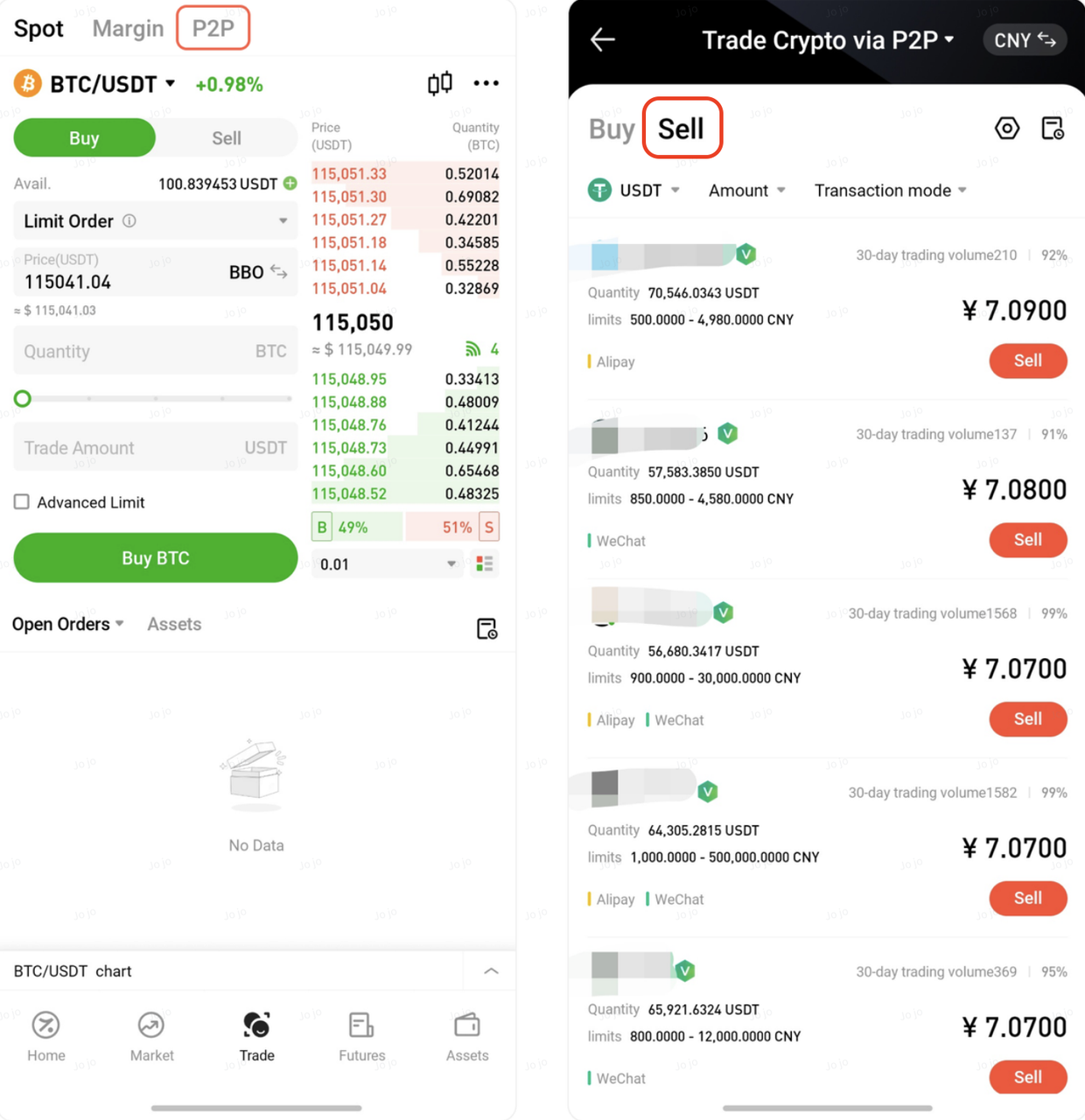
2. Browse Merchant Listings and Choose a Suitable Buyer
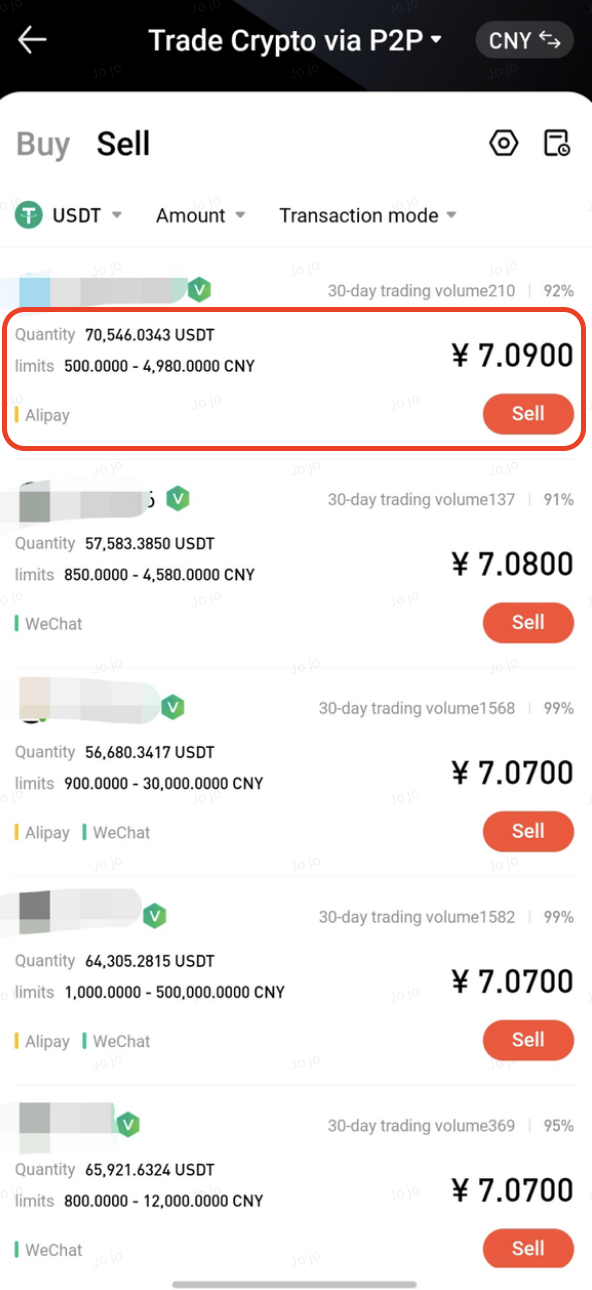
On the Sell page, the following selling conditions are set by default:
Cryptocurrency: USDT
Fiat currency: Based on your account settings
Each listing shows the following information:
USDT price
Available purchase amount
Order limits
Supported payment methods
After reviewing the list, select a suitable buyer. Pay attention to the following:
Price: Select a buyer whose quoted price meets your expectations
Limits: Ensure your selling amount falls within the buyer’s order limits
Completion rate: Prioritize buyers with a completion rate above 95% for higher reliability
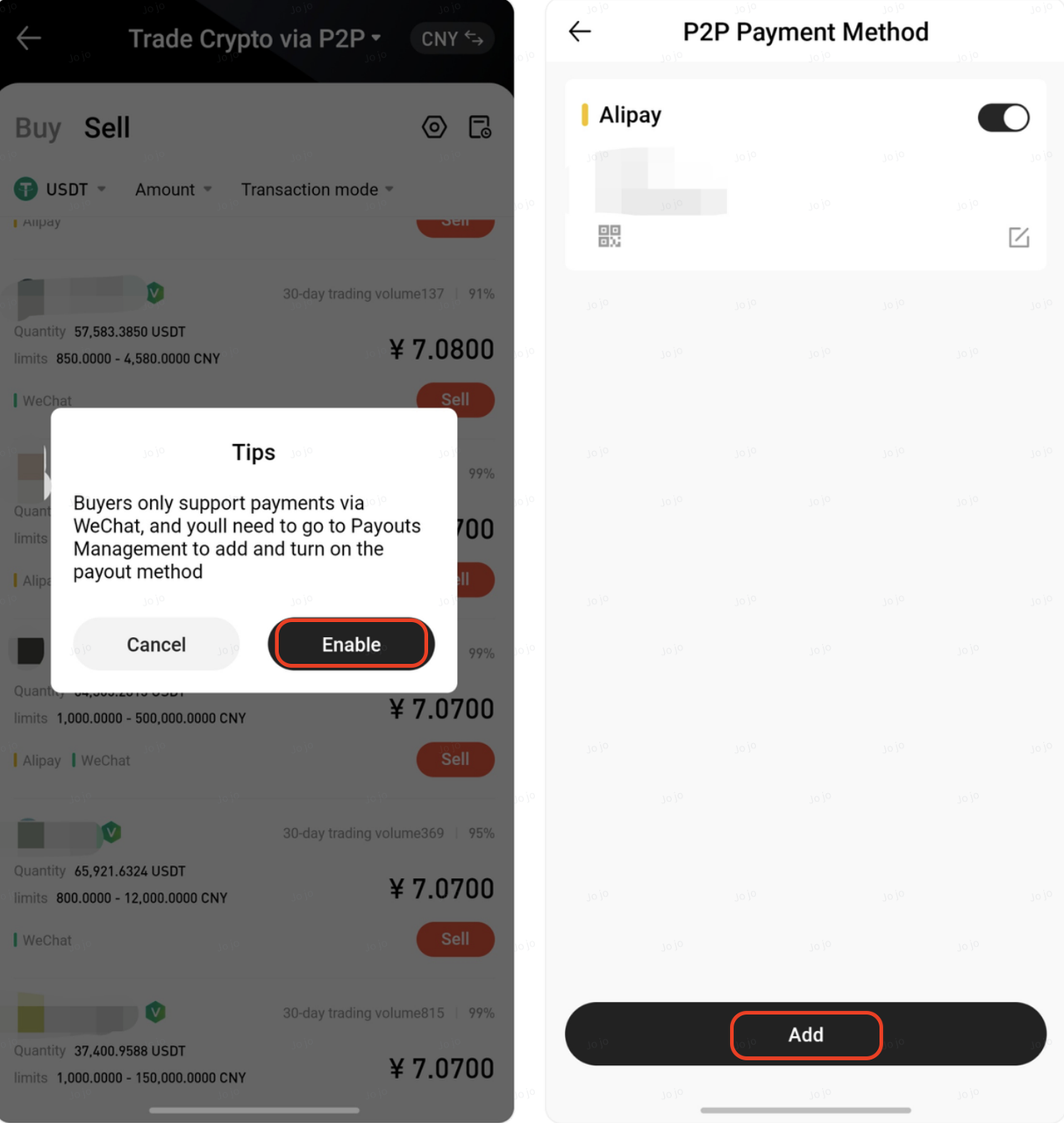
If this is your first time selling cryptocurrency, you will need to add one of the buyer’s supported payment methods.
Steps:
Click the red Sell button next to the buyer. In the pop-up window, click Enable and then click Add on the P2P Payment Method page
Select a payment method that allows you to check the received funds in real time, such as:
A bank card with SMS balance notifications enabled
WeChat Pay
Alipay
Enter the payment details as instructed on the page (please carefully verify your account information to avoid payment issues)
Complete the security verification and confirm to add the payment method
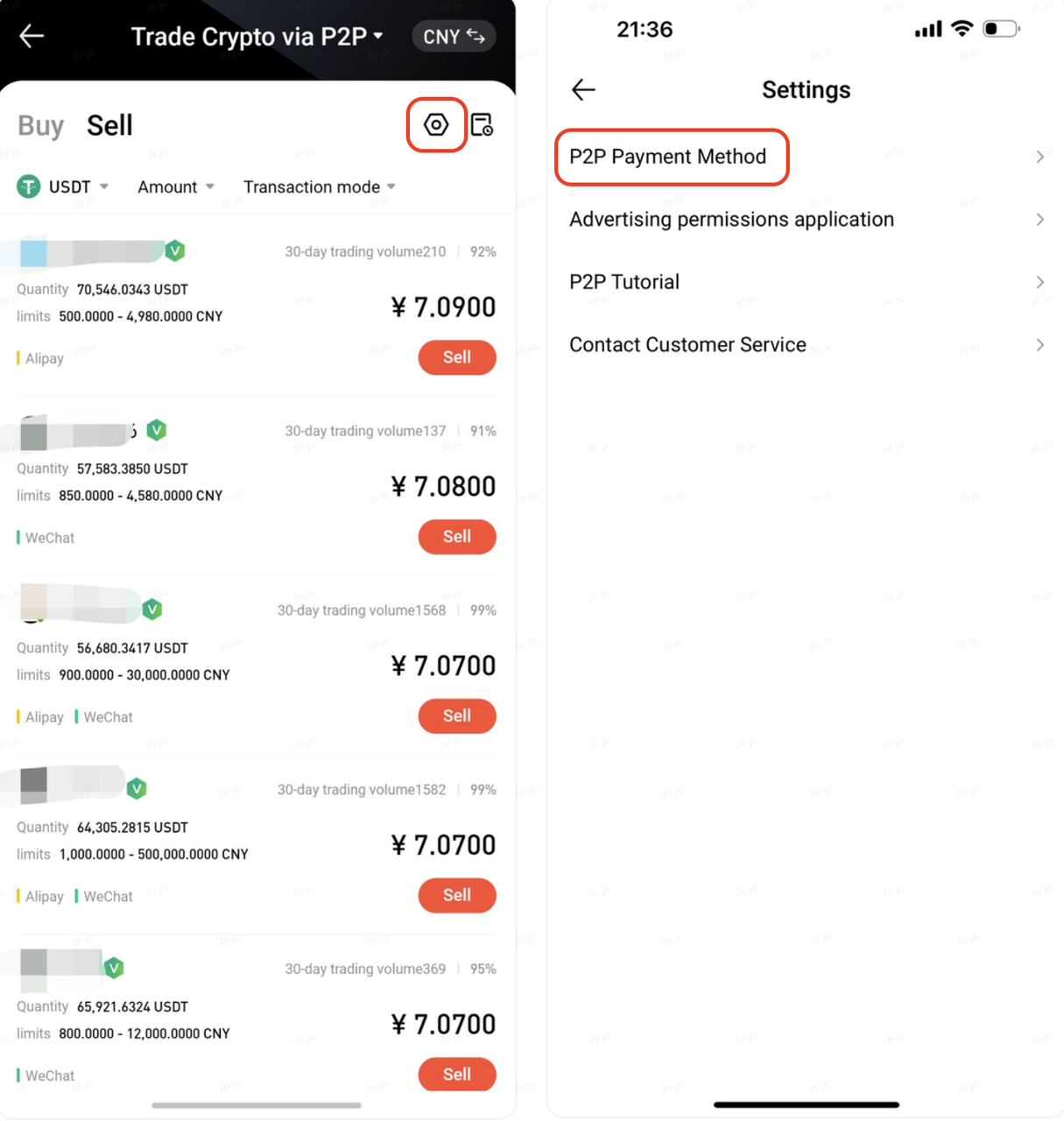
You can also click the settings icon in the upper-right corner → P2P Payment Method to add a new payment method.
After placing the order, your USDT will be temporarily locked by the platform while waiting for the buyer to complete the payment.
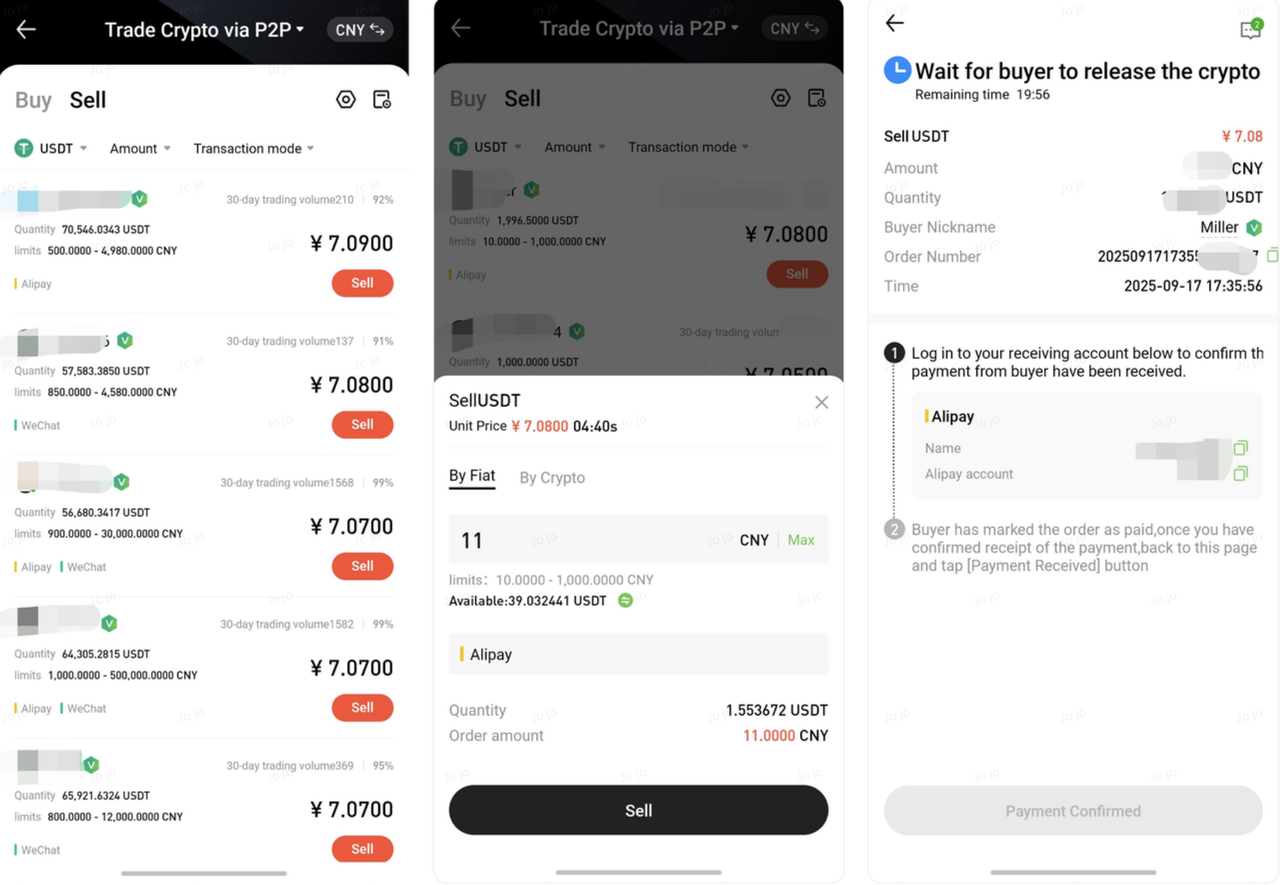
Note: If your P2P account has no available assets, you can transfer funds from your Spot account or other accounts to your P2P account using the Transfer feature.
After receiving the buyer’s payment notification, log in to your payment app (such as mobile banking or Alipay)
Verify that the funds have been received and that the amount is correct
Once confirmed, return to the order page in the Hotcoin App and click Payment Confirmed
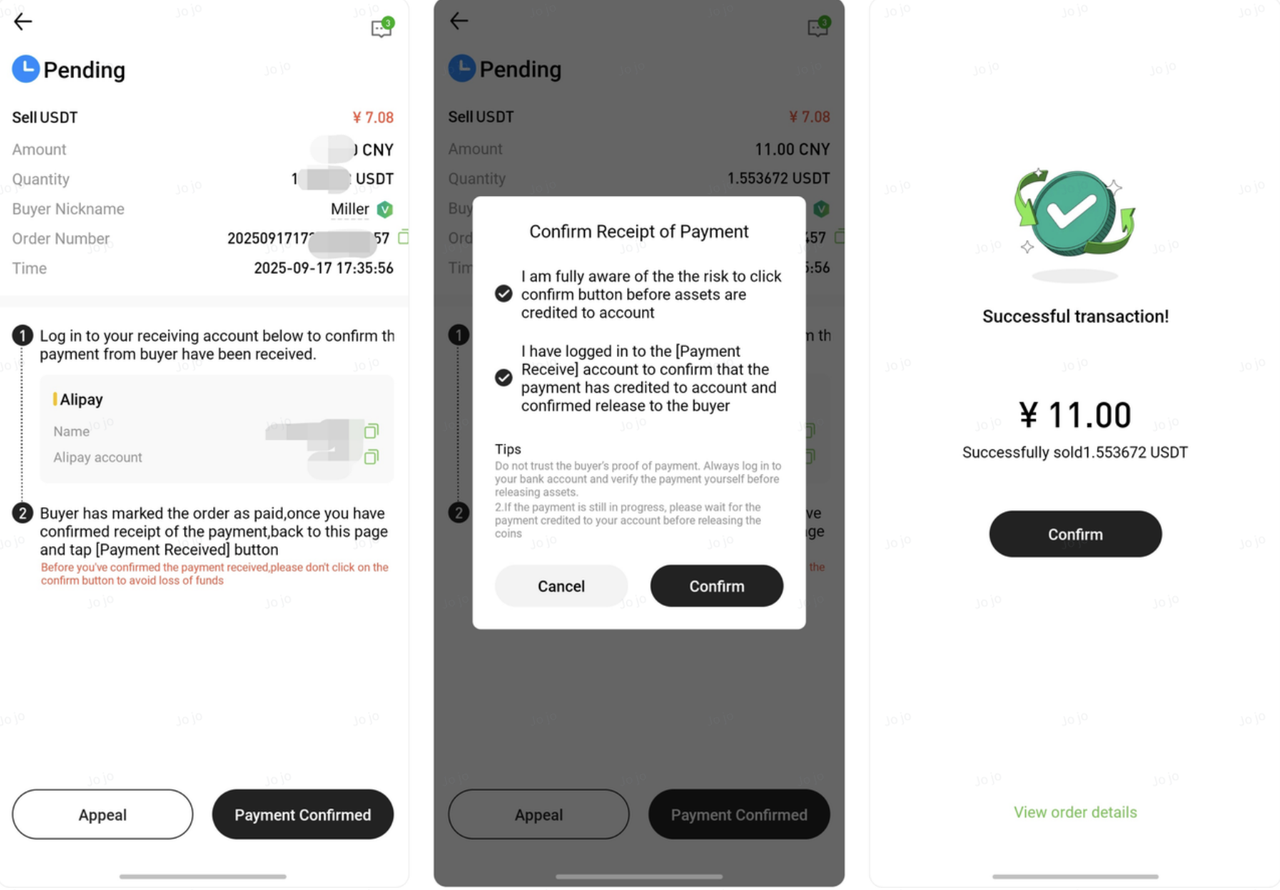
⚠️ Important Security Tips
Do not release cryptocurrency based solely on a payment screenshot sent by the buyer. Screenshots can be forged.
Do not trust any urging or promises from buyers in chat. Always verify the payment in your bank or payment account.
Never click Payment Confirmed before verifying that the funds have been received.