Contents
1. What Is a Withdrawal or Internal Transfer Delay
2. Before You Begin
3. Troubleshooting Steps
4. Disclaimer
If your withdrawal or internal transfer has not yet been credited, it usually does not mean that the funds are lost. In most cases, this happens due to processing time, network conditions, or a temporary system display delay, which may prevent the funds from appearing in your account immediately.
1. What Is a Withdrawal or Internal Transfer Delay?
A withdrawal or internal transfer delay means that the funds from a withdrawal or a transfer sent by another user are temporarily not visible in your transaction records.
In most cases, the system credits the funds directly to your Spot Account. Before taking further action, please verify your account status and transaction details.
2. Before You Begin
Before investigating the issue, please confirm the following:
- The funds were intended to be credited to your Spot Account
- The sender successfully completed the transaction
- The recipient address or account information was entered correctly
3. Troubleshooting Steps
Step 1: Request the transaction details from the sender
- Ask the sender to provide a screenshot of the transaction details
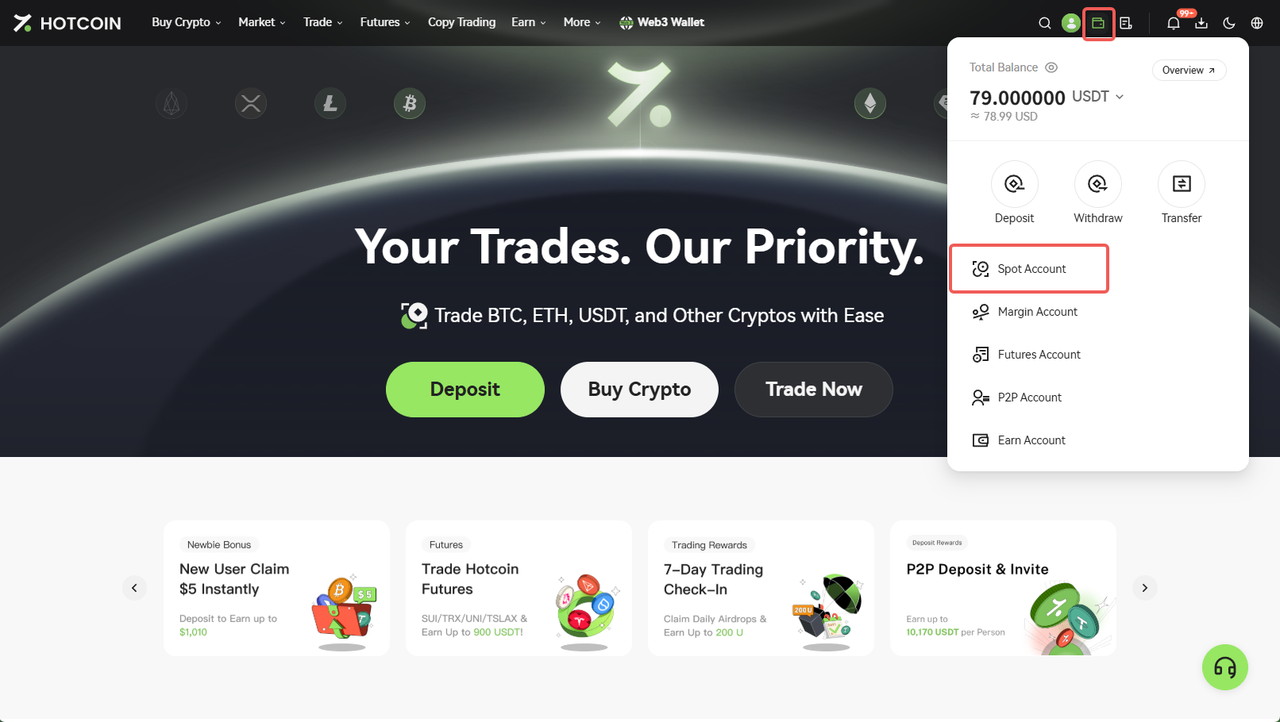
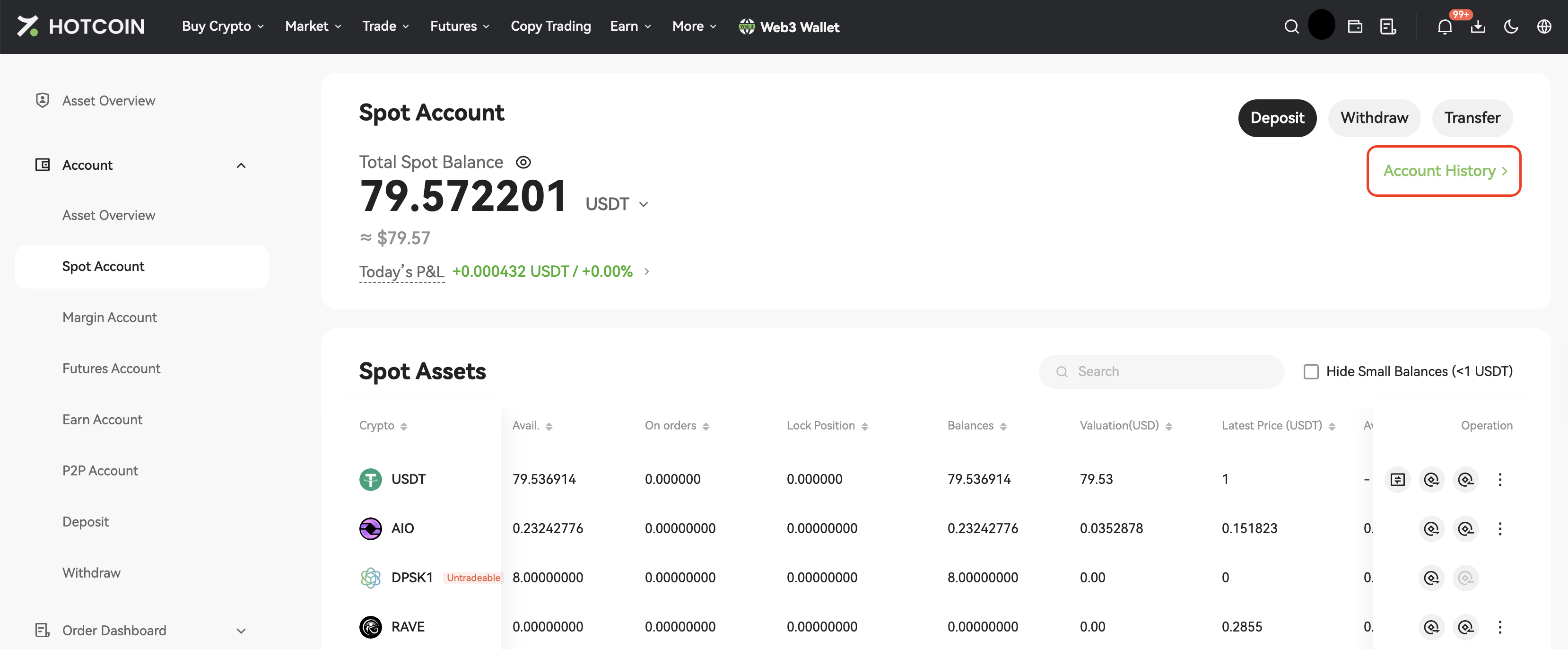
- The sender can check the transaction by following this path: Assets Overview > Spot Account > Account History
Step 2: Verify the transaction status
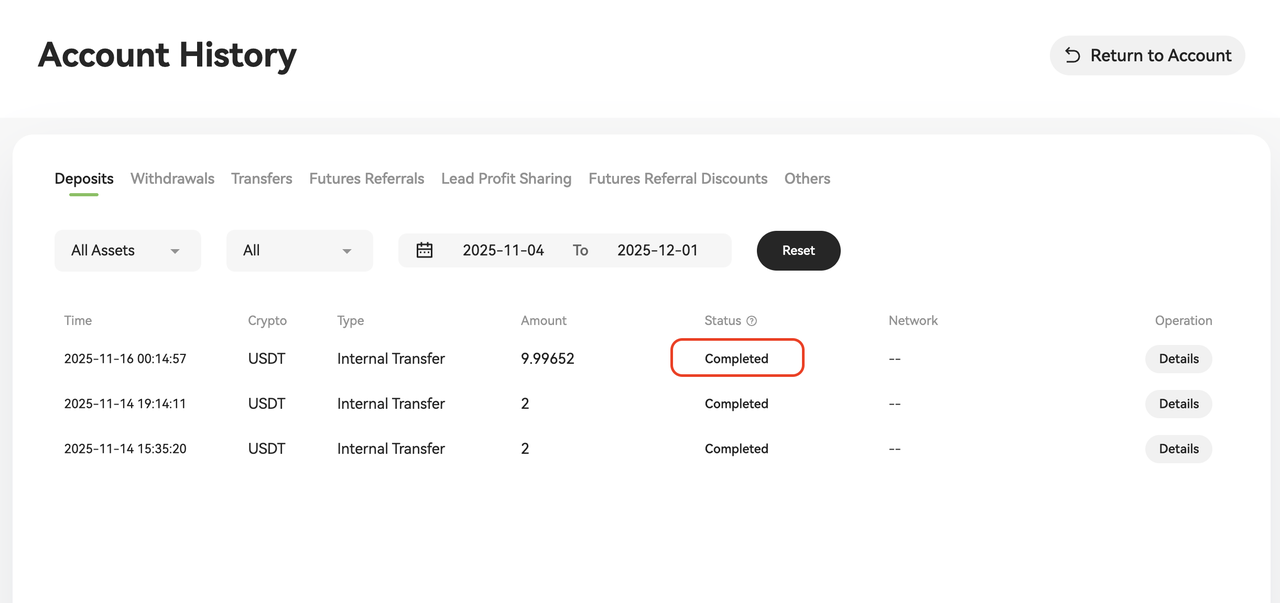
If the transaction status shows Completed but the funds are still not visible, please reconfirm that the recipient address or account information is correct.
4. Disclaimer
- Users bear all risks arising from the use of Hotcoin payment services and related features
- Hotcoin only provides technical services related to cryptocurrency transactions
- Unless otherwise required by applicable laws, all completed payments are considered final and cannot be reversed
- Hotcoin has no obligation or authority to intervene in or resolve any disputes after a payment is completed
- Unless otherwise stipulated by applicable laws or the Hotcoin Payment Service Terms, neither Hotcoin nor relevant merchants shall be liable for any losses resulting from the use of Hotcoin payment services