
Customer Support
service hotcoin.com
Product Feedback
producthotcoin.com
Business Inquiries
businesshotcoin.com
Law Enforcement
casecnhotcoin.com
About
Services
Support
© 2017-2026 Australian Hotcoin Global Exchange Pty Ltd
servicehotcoin.com
producthotcoin.com
businesshotcoin.com
casecnhotcoin.com
Visit the official Hotcoin website and click the Register button in the top right corner
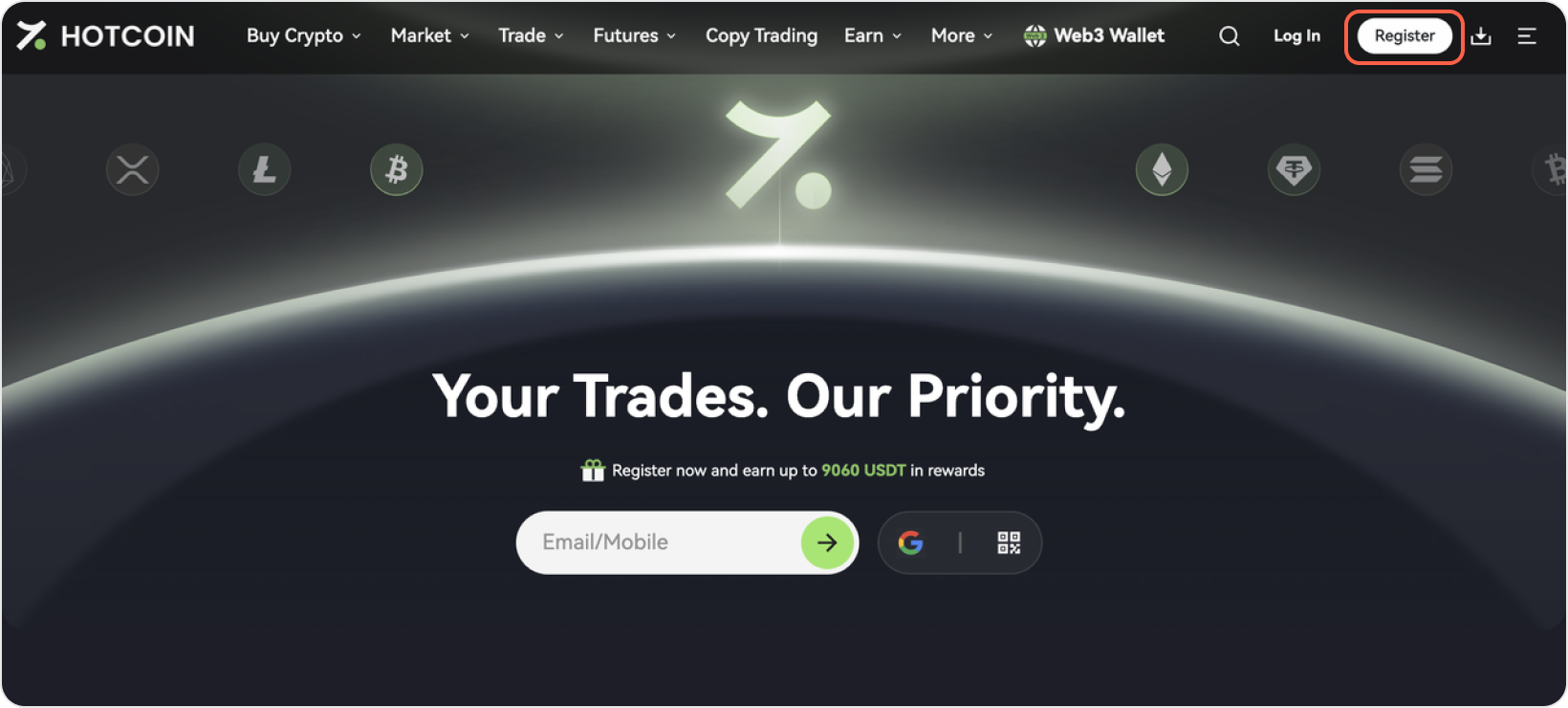
Hotcoin supports Email Registration and Mobile Number Registration. Choose the method that works best for you.
1、Provide Your Email Address
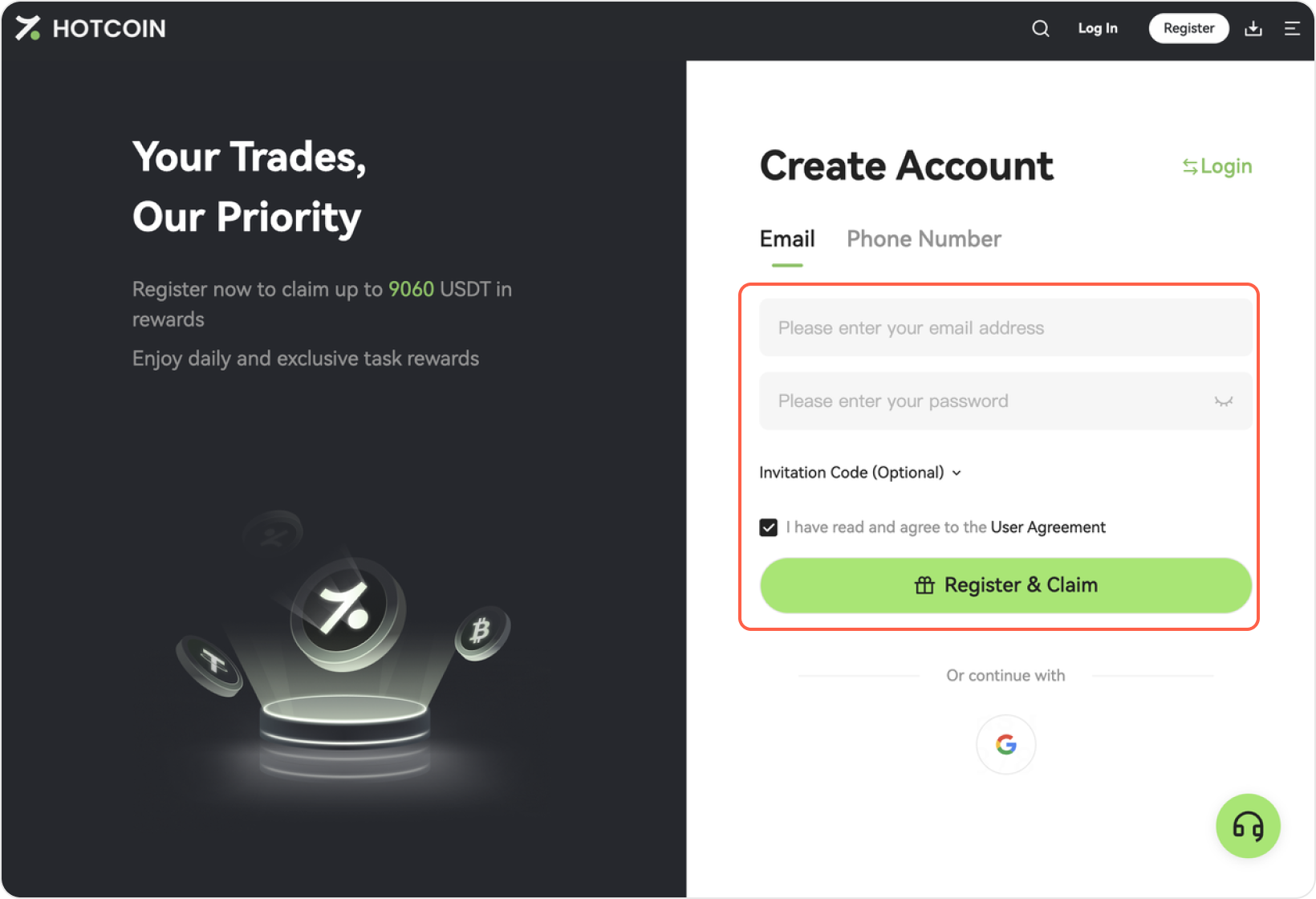
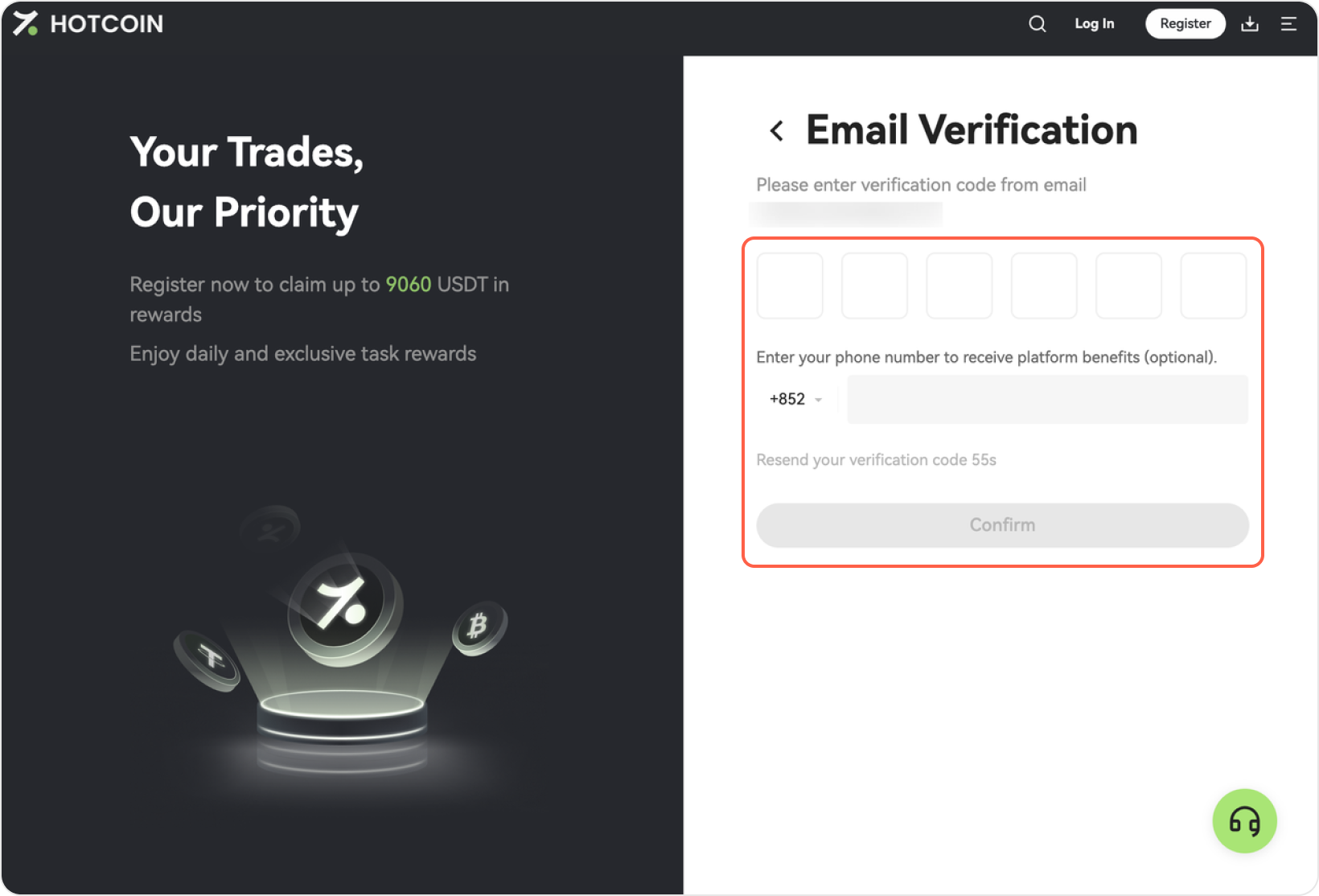
2、Verify your email address
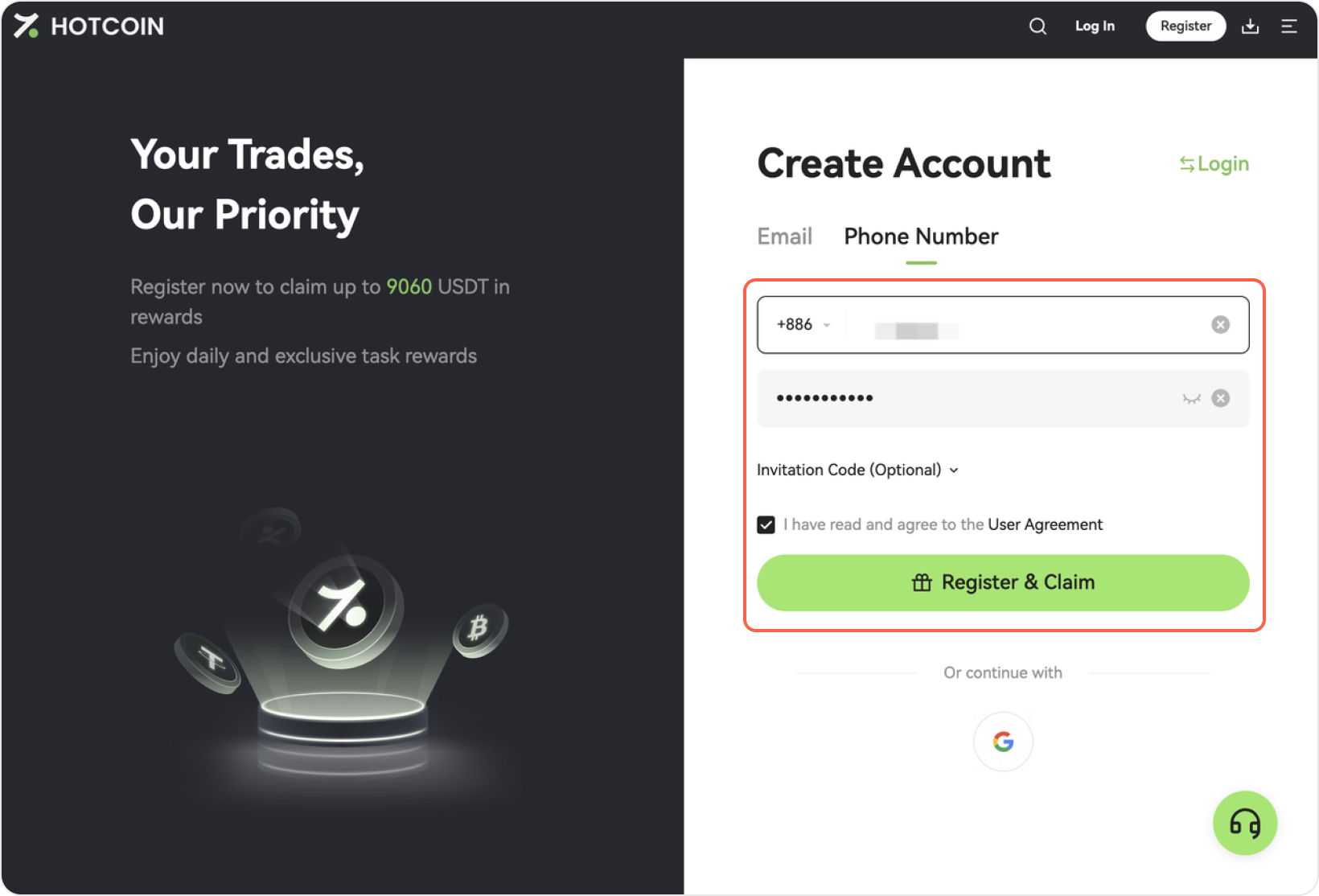
1、Click Register and switch to the Mobile Number tab
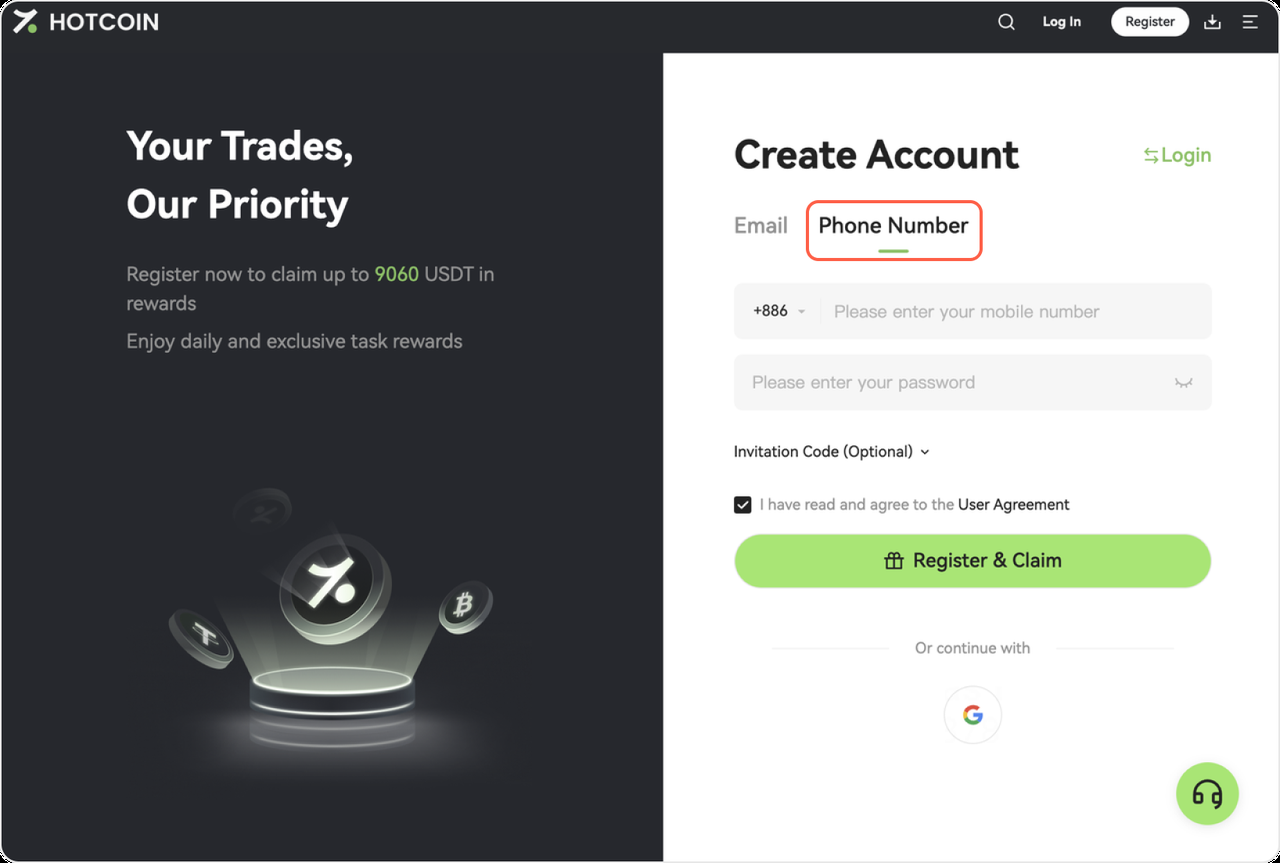
2. Enter your mobile number
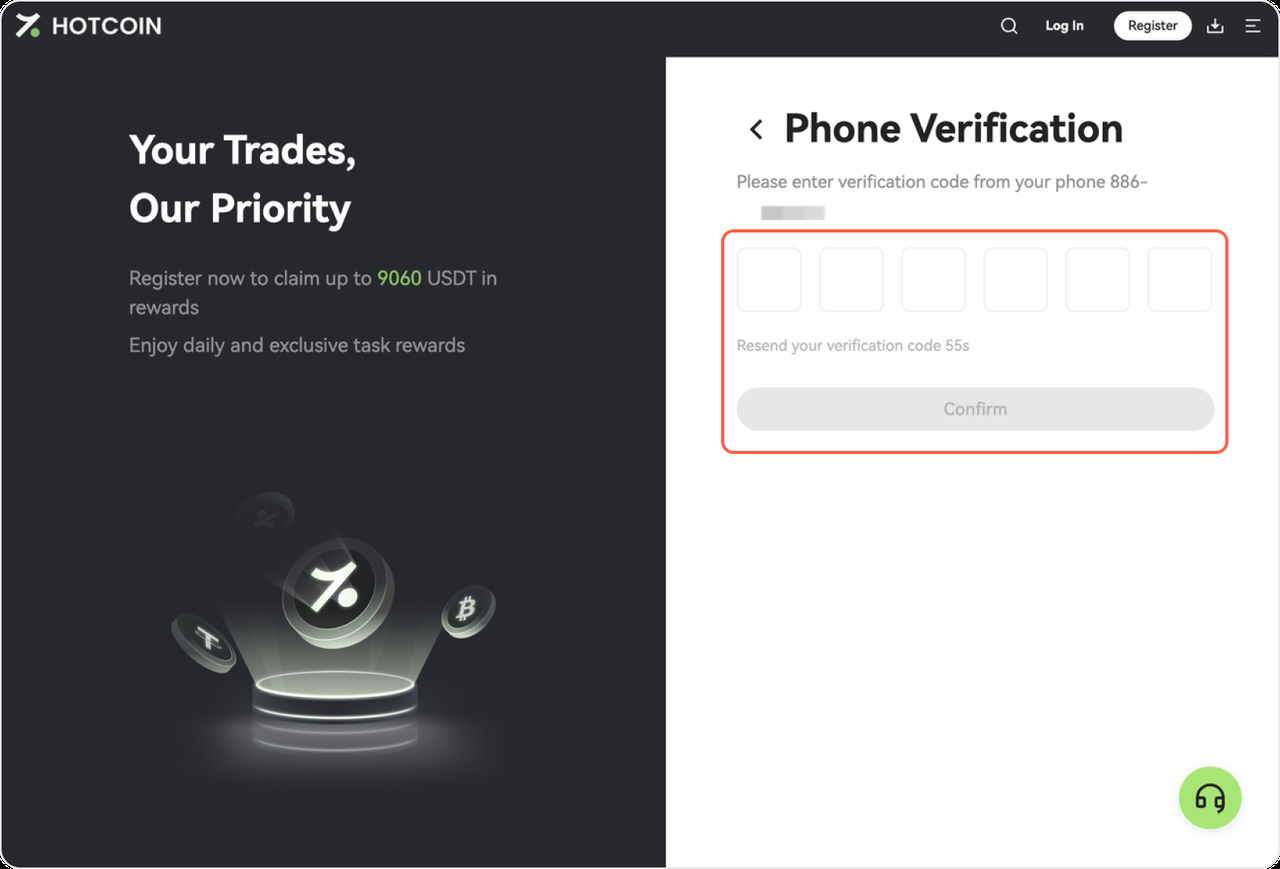
3. Verify your mobile number
Once registration is complete, you can log in to Hotcoin and start trading or exploring available features.