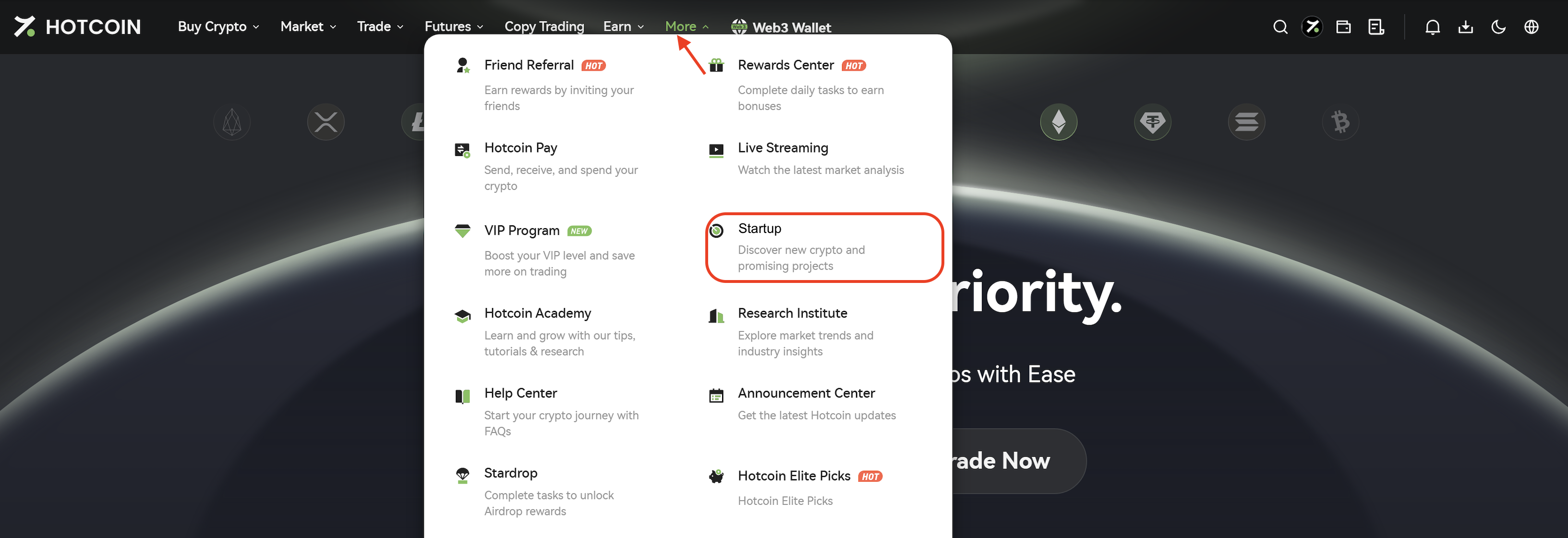
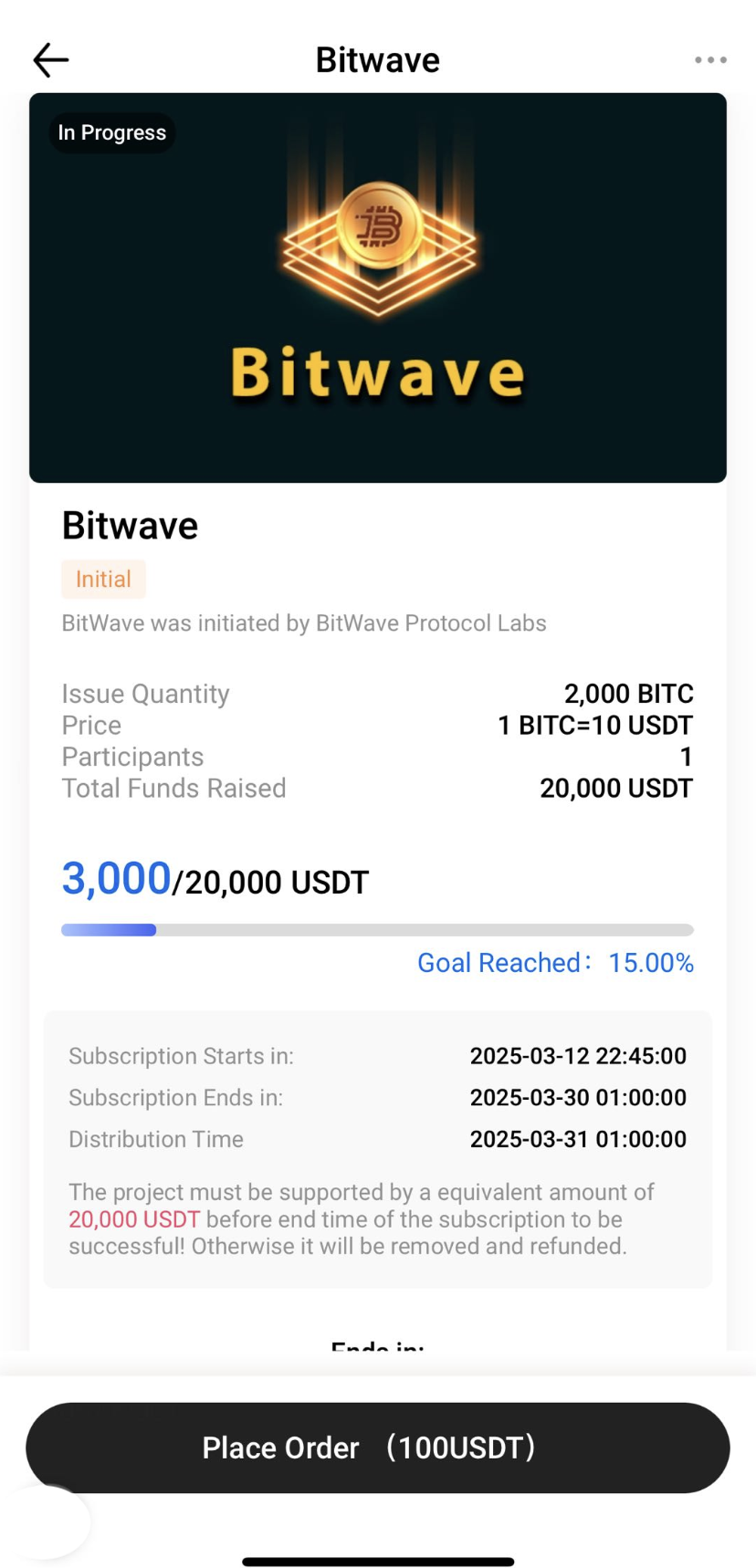
You can participate in Startup projects through the Hotcoin website or app. This guide will walk you through the subscription process on both platforms.
I. Participate via Web
1. Log in to your Hotcoin account and click More → Startup from the top navigation bar to enter the Startup page.
2. In the Ongoing section, select the project you wish to participate in and open its details page.
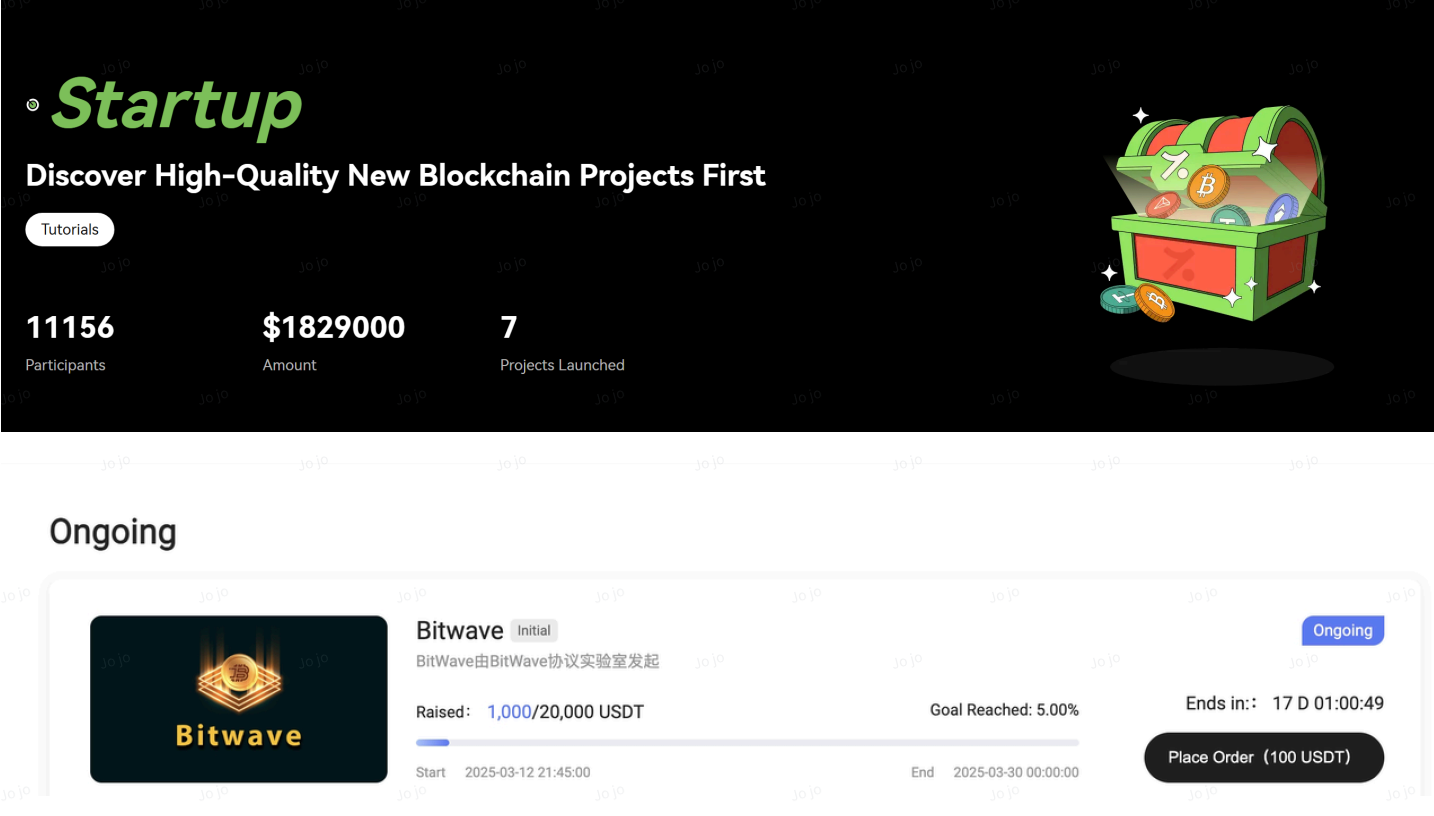
3. Click Place Order.
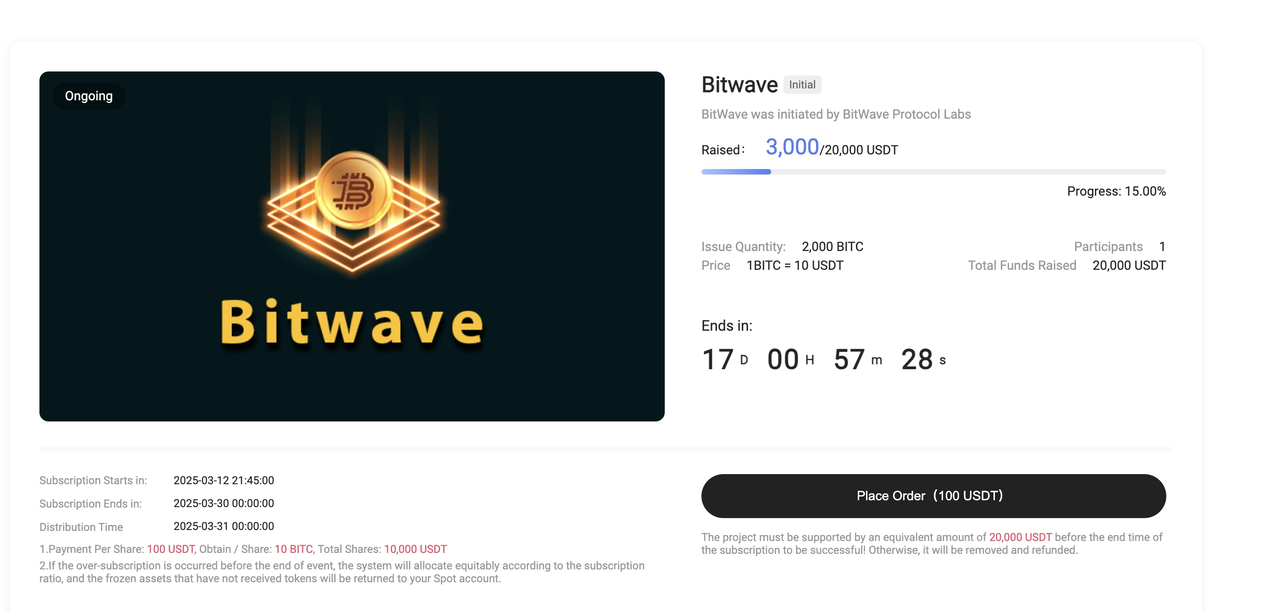
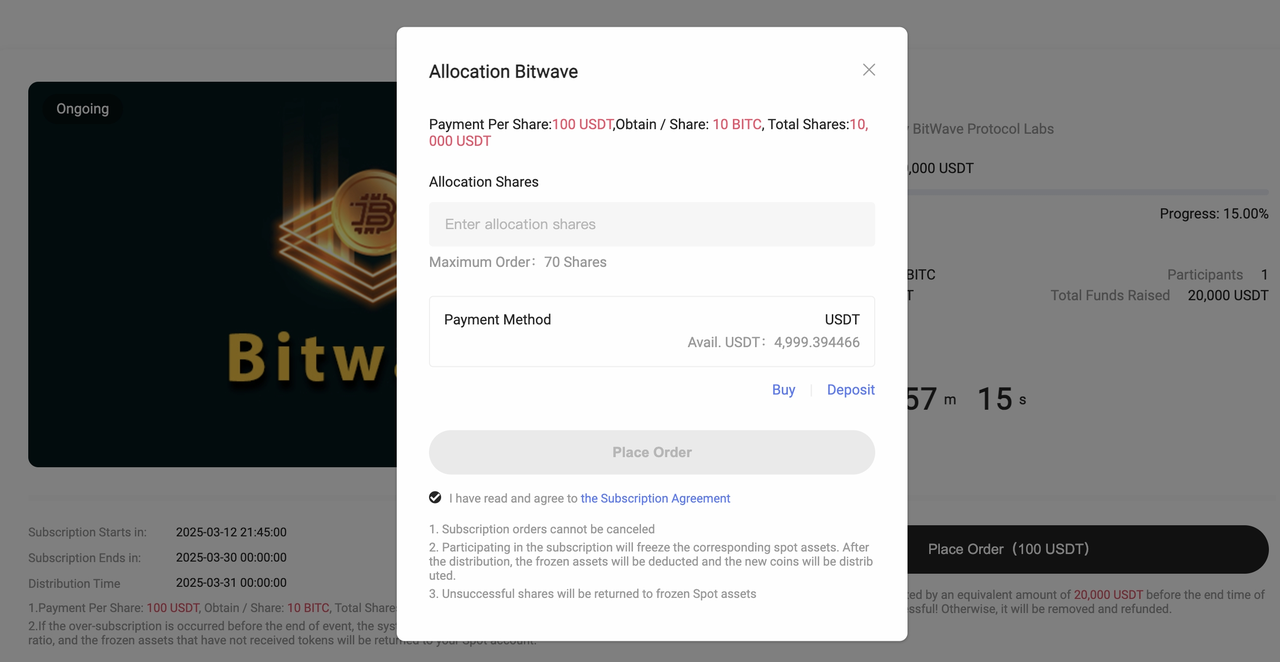
4. Enter the number of shares you wish to subscribe to, then click Place Order.
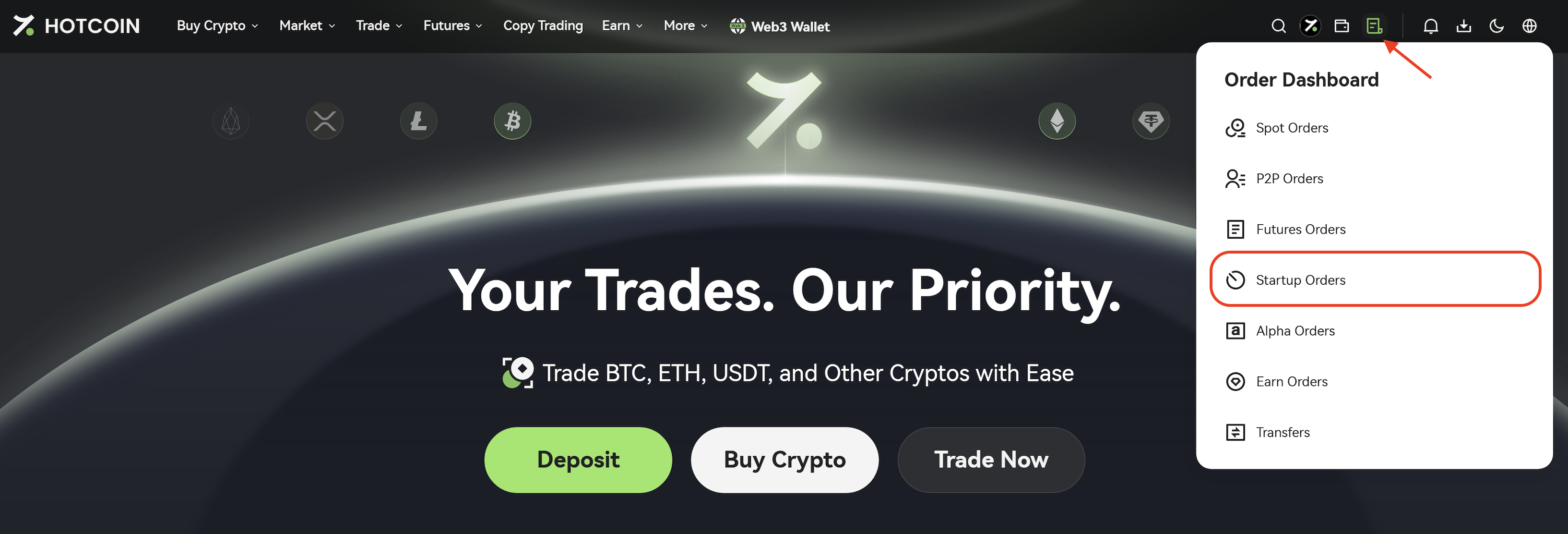
5. After submitting your subscription, click Orders → Startup in the upper-right corner to view your subscription results and order status.
II. Participate via App
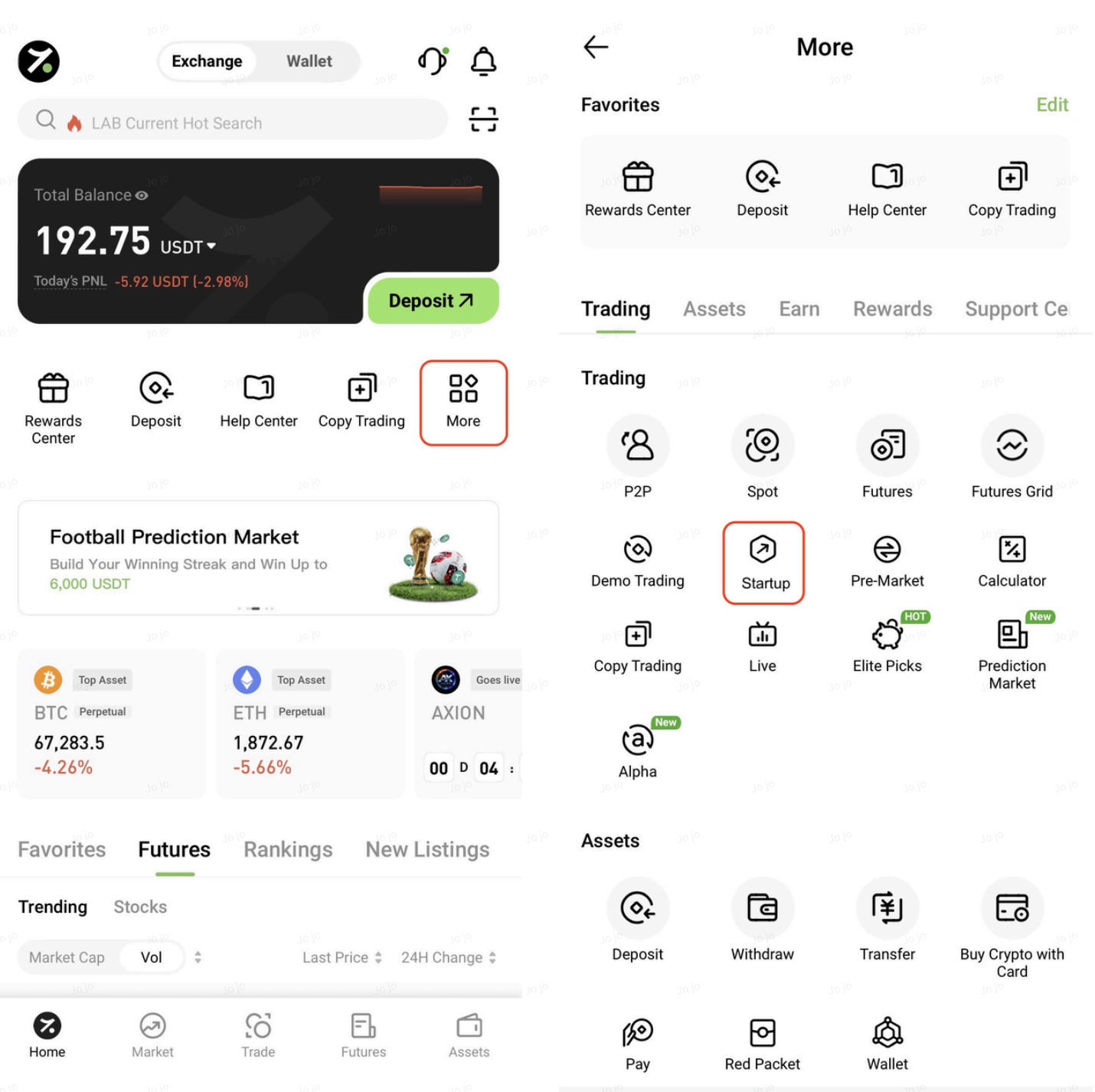
1. Open the Hotcoin App, tap More, and select Startup.
2. In the Processing section, select the project you wish to participate in and open its details page.
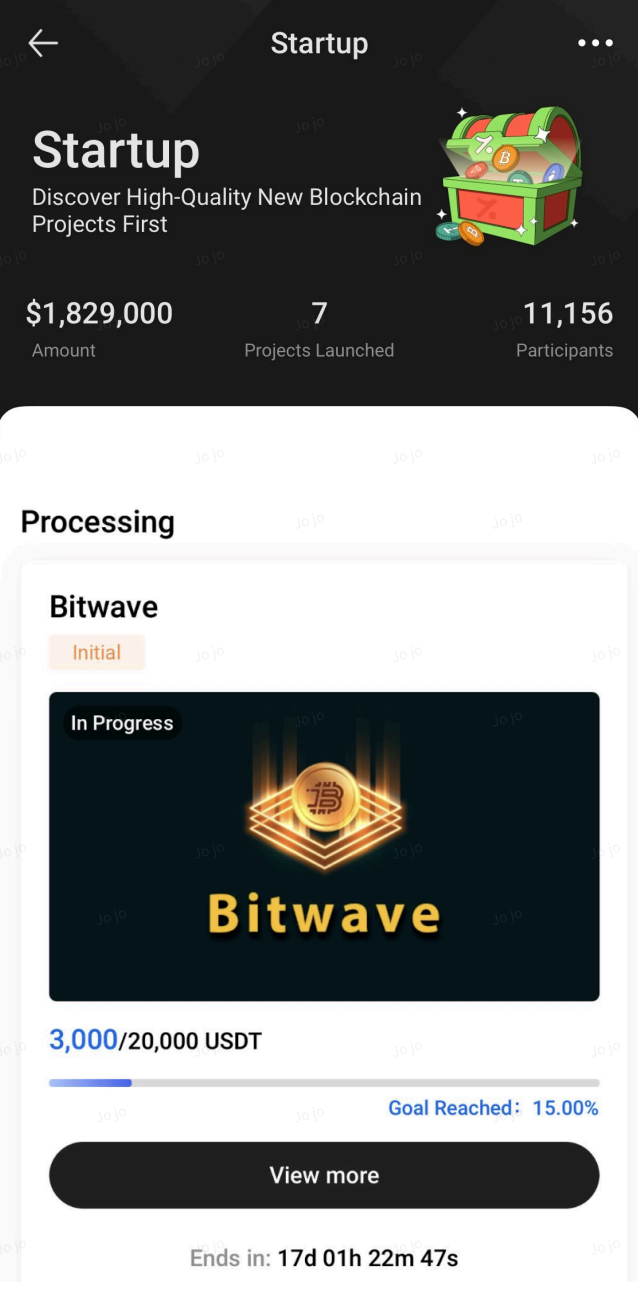
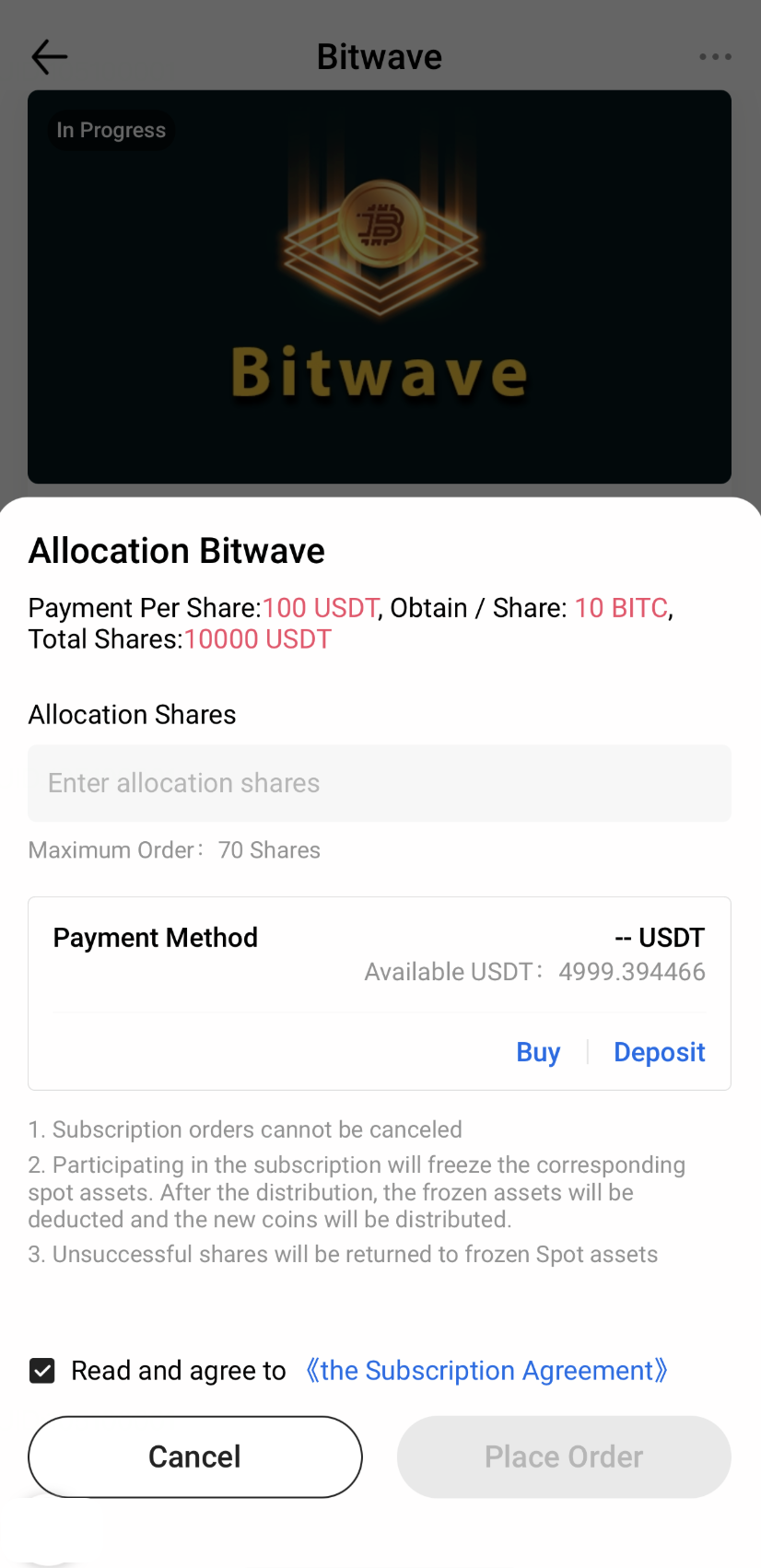
3. Tap Place Order.
4. Enter the number of shares, then tap Place Order to complete your subscription.
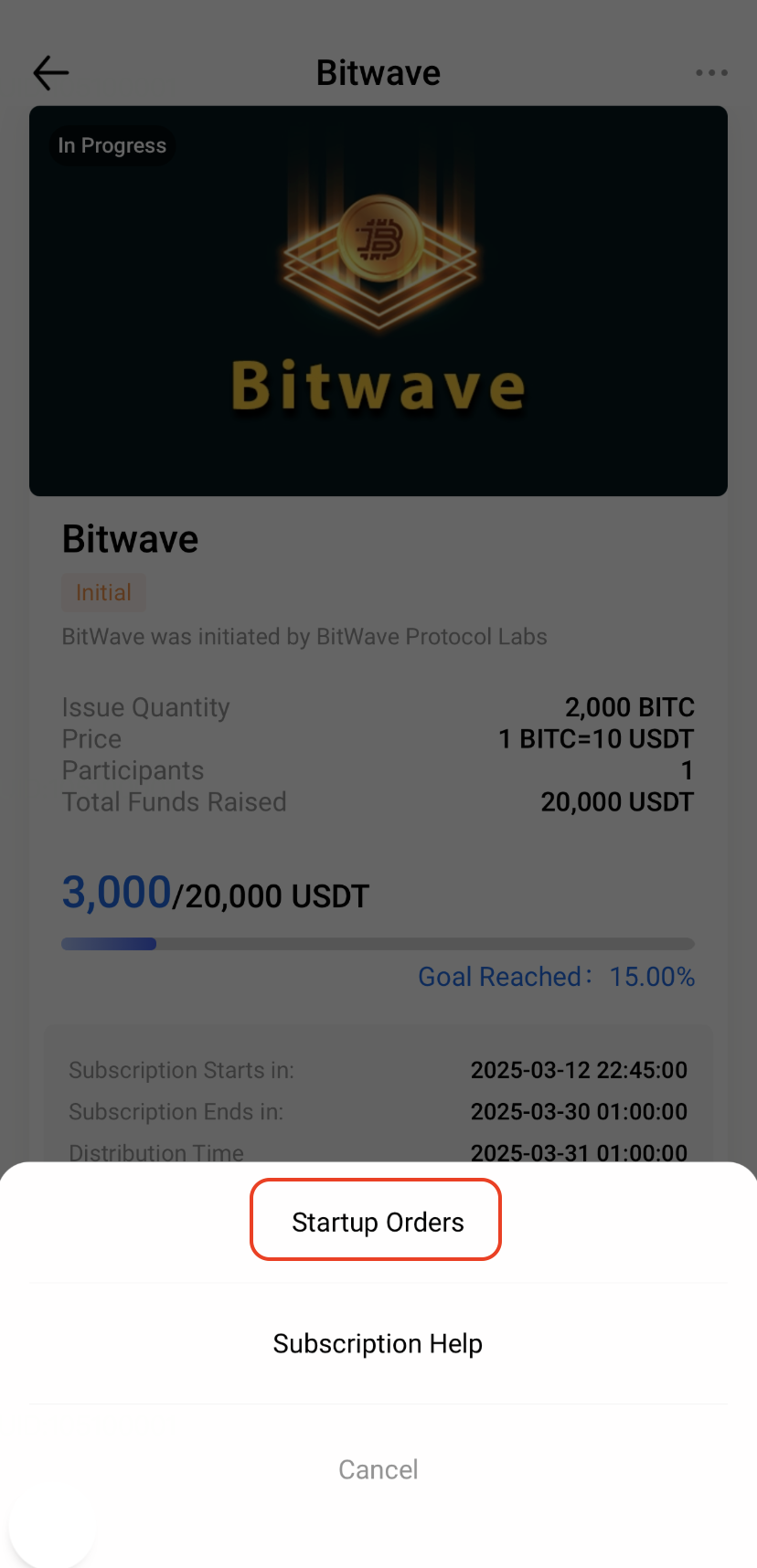
5. After submitting your subscription, tap the 「···」 button in the upper-right corner of the Startup page. Then select Startup Orders from the pop-up menu to view your subscription results and order history.
Notes
- Subscription requirements, rules, and timelines may vary by Startup project. Please refer to the relevant project announcement for details.
- Startup projects are generally early-stage blockchain projects and may involve risks related to project operations, technology development, market conditions, and applicable laws and regulations. Before participating, please ensure that you fully understand the project and carefully assess the associated risks.